Platform tour

The workbench behind the district front door.

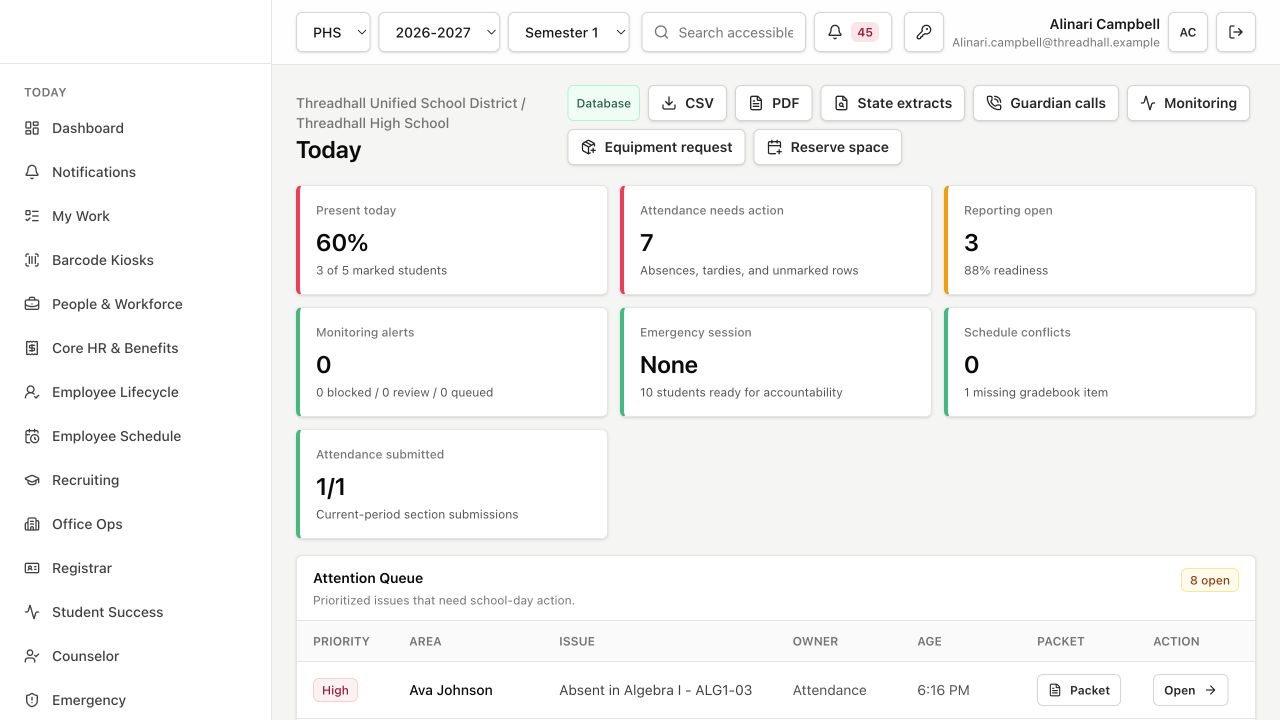
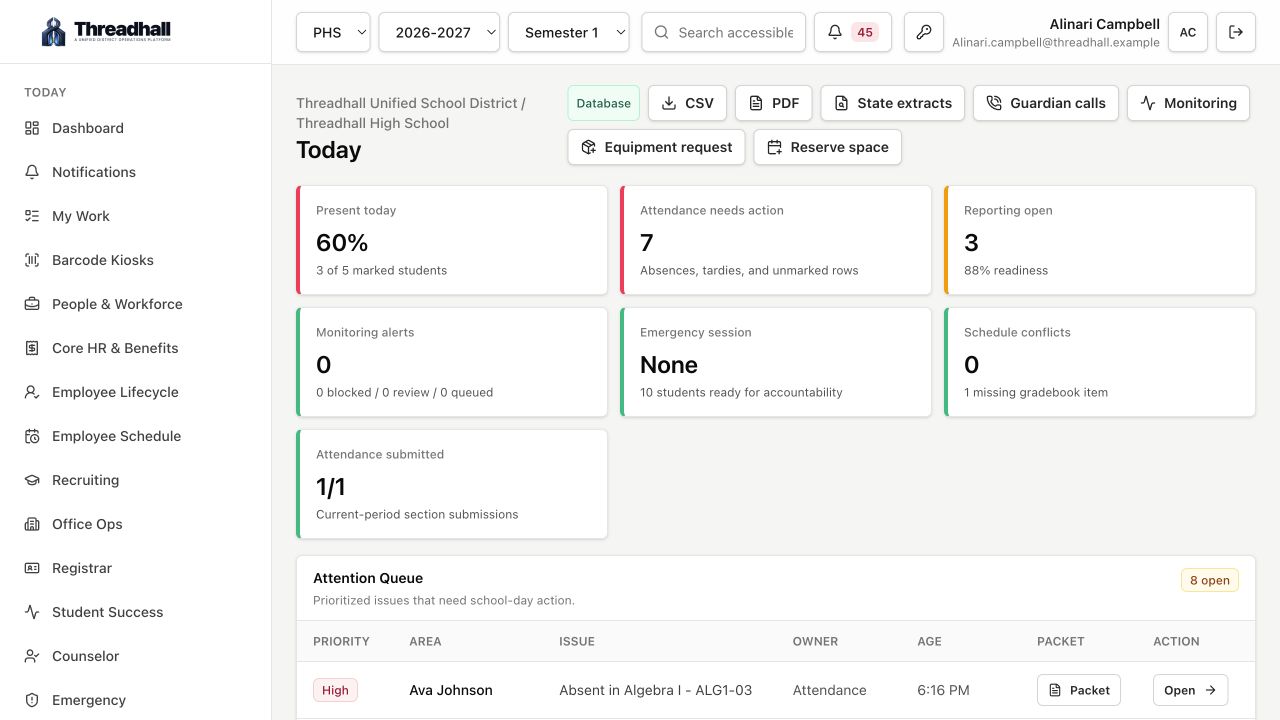
Threadhall gives each team a focused workspace while keeping the operational record connected underneath: people, devices, schools, tickets, forms, food service, reports, and service health.

01

Open the right client

Web, iPhone, iPad, and Mac experiences should all lead to the same workspace, requests, operations, and admin mental model.

02

Capture the request

Tickets, requests, changes, and sales begin in compact forms that know the user, department, school, device, and workflow rules.

03

Attach the context

People records, assets, locations, photos, SIS fields, Microsoft and Google identifiers, food balances, and history stay attached.

04

Move it through teams

IT, HR, maintenance, office staff, food service, and leadership each get the exact queue, task, and dashboard they need.

05

Publish approved outputs

Menus, status pages, knowledge, reports, ID badges, and public feeds can move from internal operations to district-facing surfaces.

06

Report without rebuilding

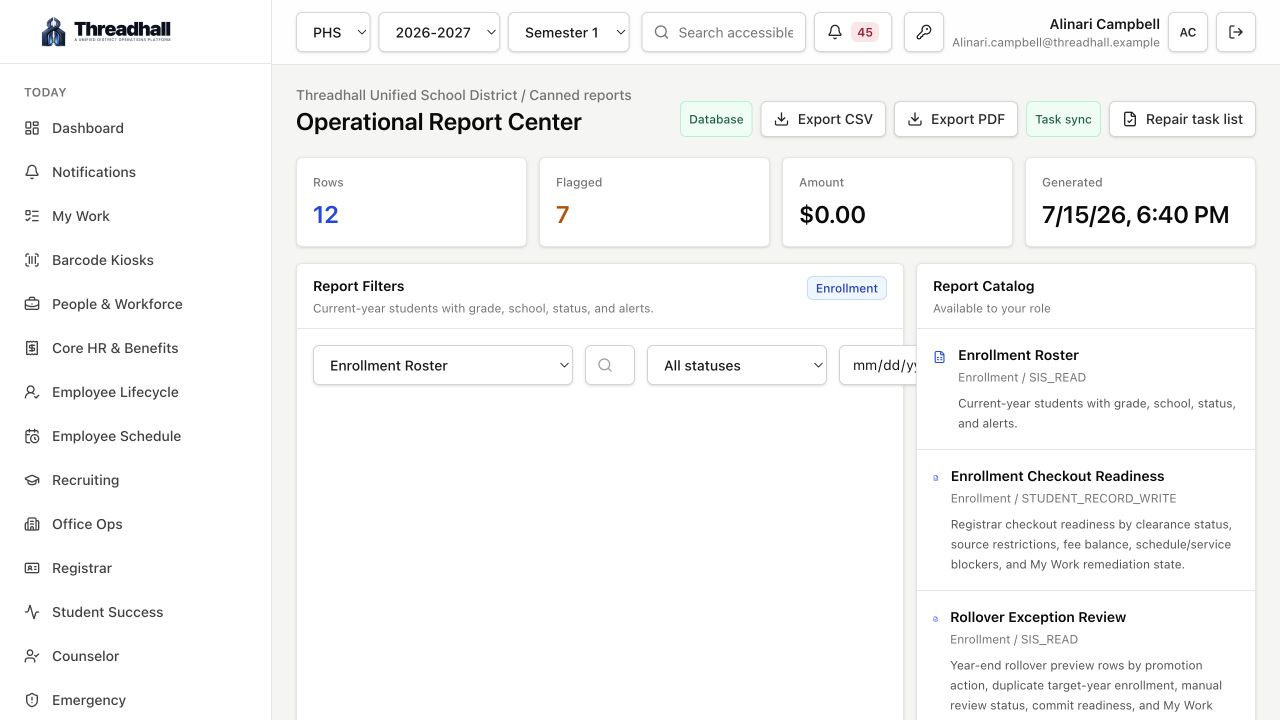
Threadhall turns daily operational records into status views, CSV exports, styled PDFs, public menu feeds, and tenant health signals.

Requests workspace

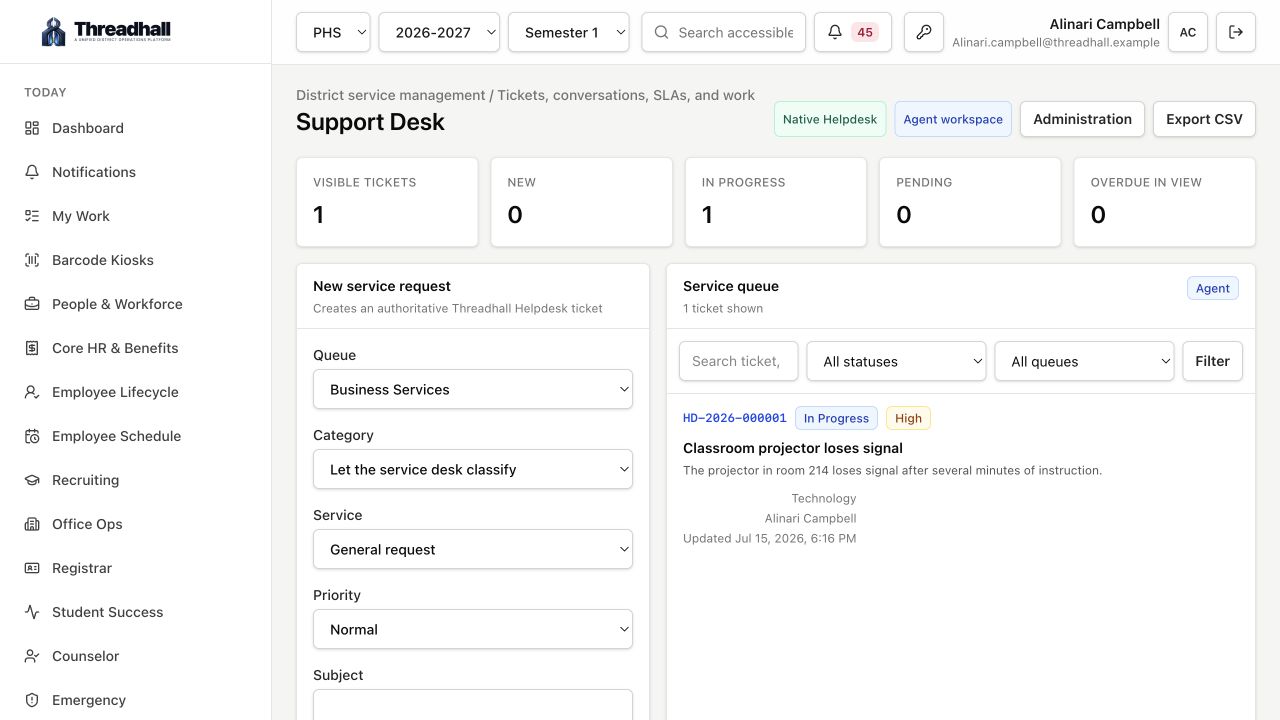
Requests arrive with requester, department, device, status, assignment, private notes, attachments, and related knowledge in one view.

Asset truth layer

Inventory records stay tied to people, rooms, warranties, platforms, remote help, tickets, movement history, and synced telemetry.

Workflow engine

Student changes, employee changes, equipment requests, facilities work, and account creation move through clear department tasks.

Public-ready operations

Food service menus, status pages, reports, ID badges, documentation, and portals are built to face real staff, students, and families.

From request to record

Threadhall keeps the context instead of forcing people to retype it.

The product is built around everyday district operations: a staff member needs help, a device moves, a student enrolls, a menu gets published, a camera alerts, or leadership asks what changed.

Before Generic help desk plus disconnected inboxes
Threadhall

One school-facing support portal with AI-assisted routing, real user context, and linked devices.

Before Separate asset tracker, MDM tabs, and spreadsheet lookups
Threadhall

A single asset record tied to Microsoft, Google, Meraki, tickets, requests, warranties, and activity history.

Before Paper or email workflows for HR, student, office, and facilities requests
Threadhall

Department-aware approvals, calendars, notifications, and reporting in the same platform staff already use.

Launch surface

Start with the highest-friction work. Expand from there.

Route tickets by department, link devices automatically, track active technician time, and keep internal notes private.

Manage assets with photos, assignment, platform versions, lifecycle, remote help state, warranties, and linked ticket history.

Create staff and student workflows that can launch Microsoft and Google account creation from the IT task tile.

Build food service menus by school year, sell staff meals, track balances, and publish menus through the API.

Watch Meraki traffic, Verkada cameras, Veeam backups, quick links, and tenant health from role-aware dashboards.

Export polished PDF and CSV reports for tickets, assets, food service balances, workflows, monitoring, and leadership reviews.

Implementation shape

Configured around your real operating model.

01 Discovery and data review
02 Branding, domains, and identity setup
03 Directory, SIS, and device-platform connections
04 Workflow tuning, imports, training, and launch
Review pricing
Role-aware by default

The same product feels different to each team because the work is different.

Technology and support teams

Help desk, assets, remote management, directory sync, knowledge, monitoring, and reporting all work from the same operational record.

AI-assisted ticket triage and title generation
Device-aware ticketing with Google, Microsoft, Verkada, and Meraki context
Role-based dashboards, reporting, and live operational status

Maintenance and facilities

Run room and resource reservations, maintenance-aware requests, and facility calendars without forcing maintenance staff into IT tooling.

Shared resource calendars and conflict prevention
Department-specific request queues and approvals
Dashboard visibility into upcoming events and pending requests

HR, office, and student services

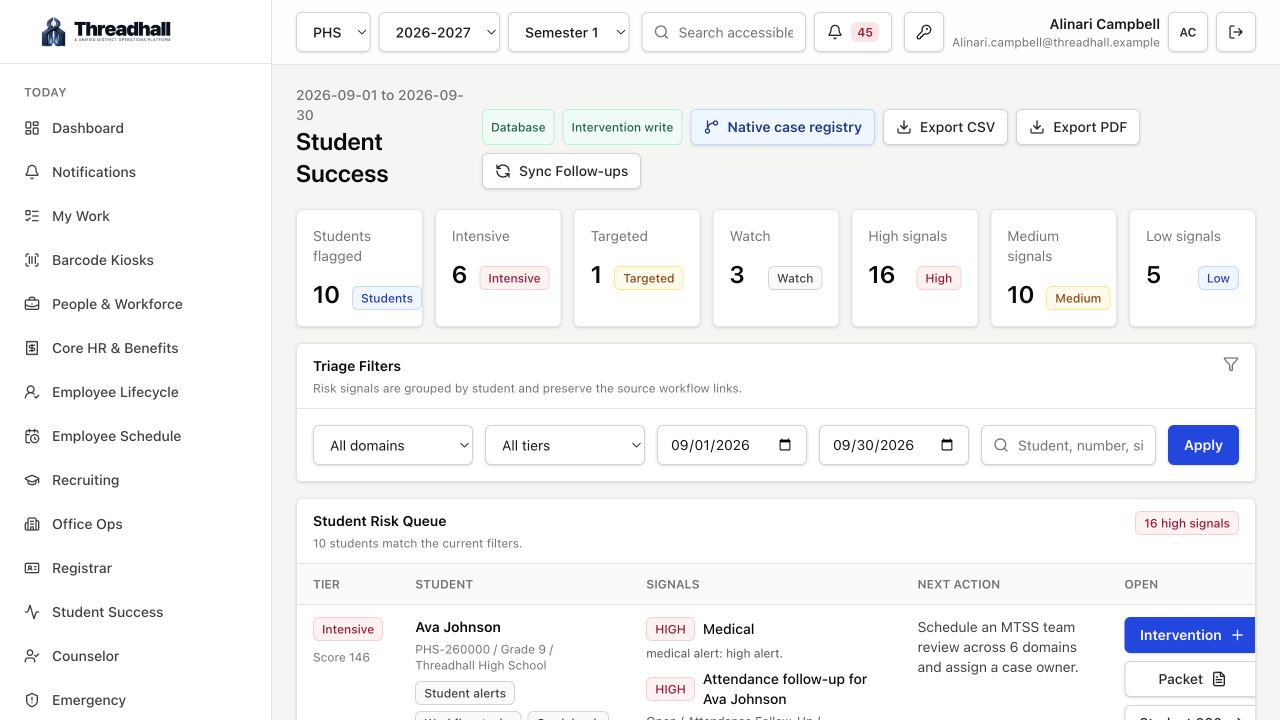
Move employee changes, student changes, and school operations through structured workflows with status visibility for everyone involved.

SIS-backed user and roster context
Status updates without dumping tasks on the requester
One district front door for requests across teams

District leadership

Replace anecdotal updates with executive reporting across tickets, assets, workflow volume, backup health, monitoring, and school operations.

Live dashboards with cached background refresh
Cross-department reporting, CSV exports, and styled PDF reports
A district-wide operational system of record
See it with your data model

A walkthrough should feel like your district, not a generic demo script.

Book a walkthrough