
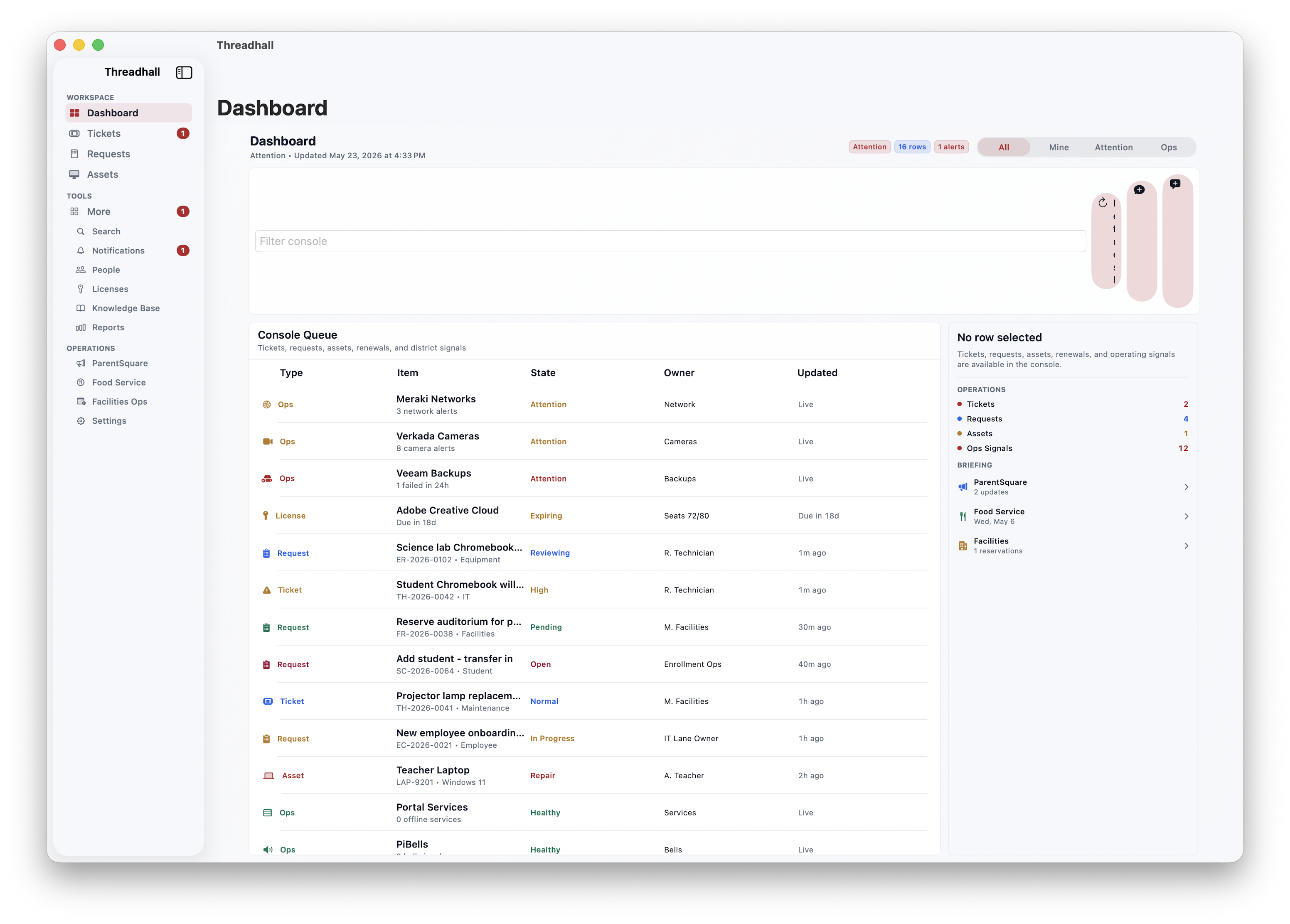
Mac
Mac dashboard
The Mac client gives repeated operators a desktop-class dashboard for all-day queue triage, signals, and workspace review.
Current screenshots from Threadhall across the web workspace, Admin, iPhone, iPad, and Mac clients.
The Mac client gives repeated operators a desktop-class dashboard for all-day queue triage, signals, and workspace review.
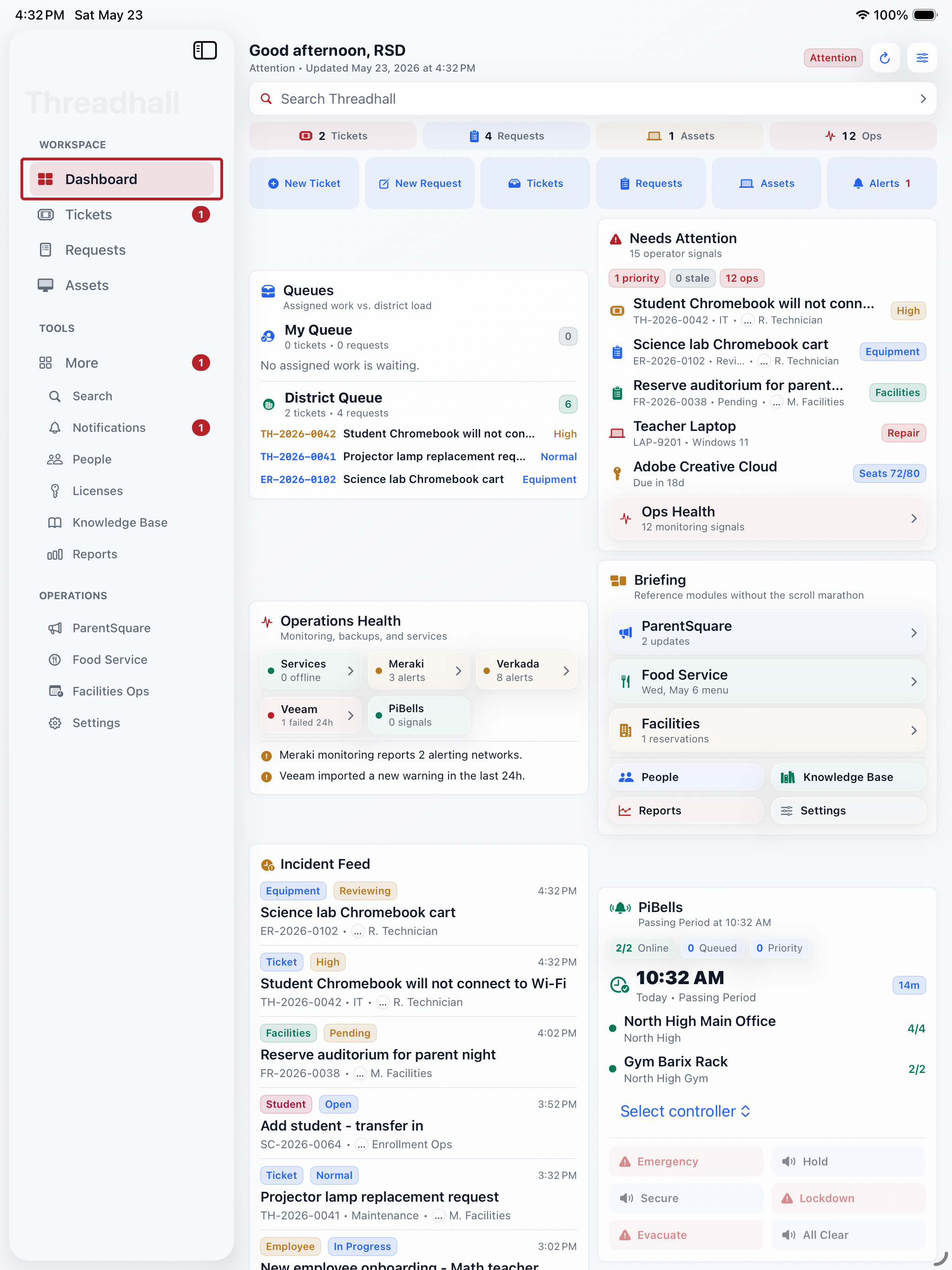
The iPad client uses the regular-width sidebar workspace for a roomier operations dashboard and school-team review surface.
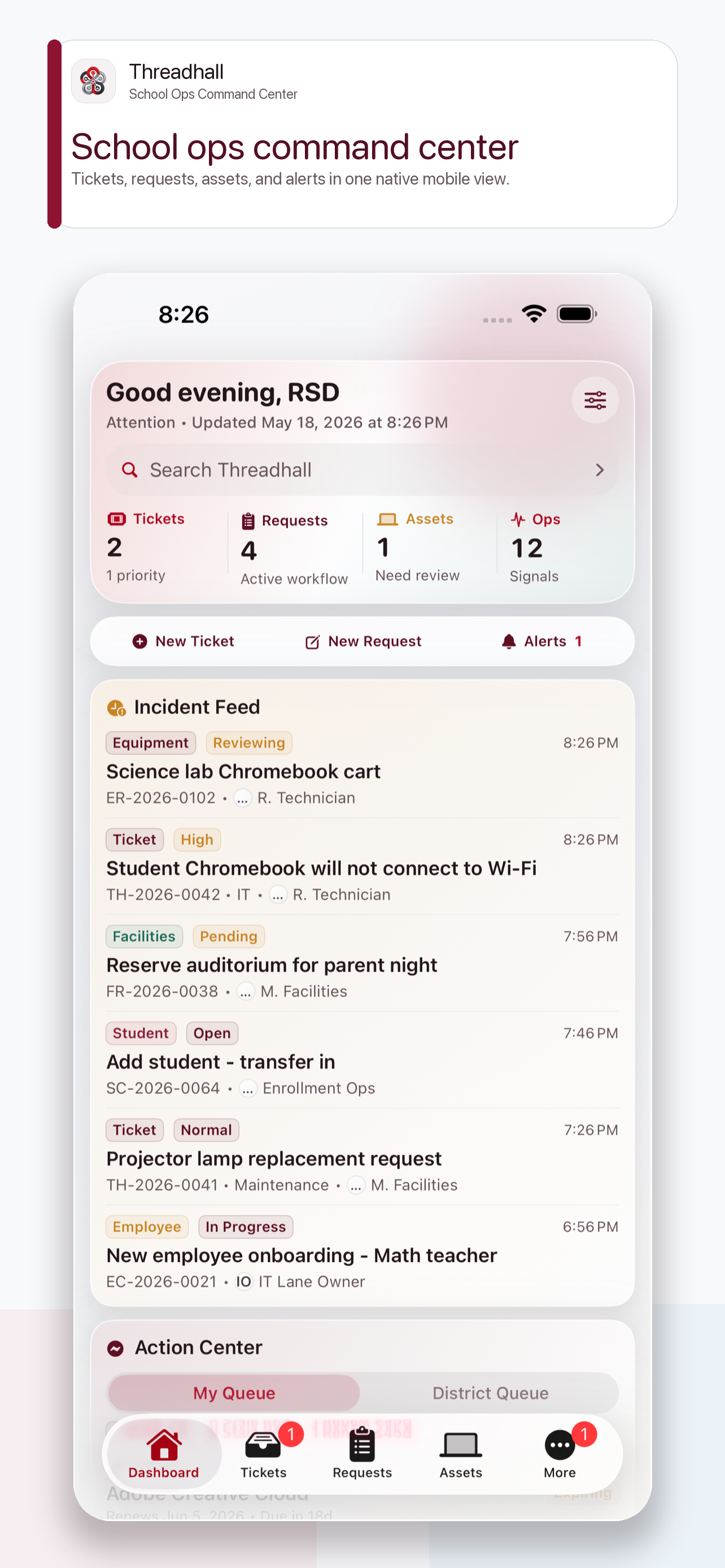
The iPhone dashboard gives staff a day-at-a-glance view of tickets, requests, assets, operational alerts, and the tools they need away from a desk.
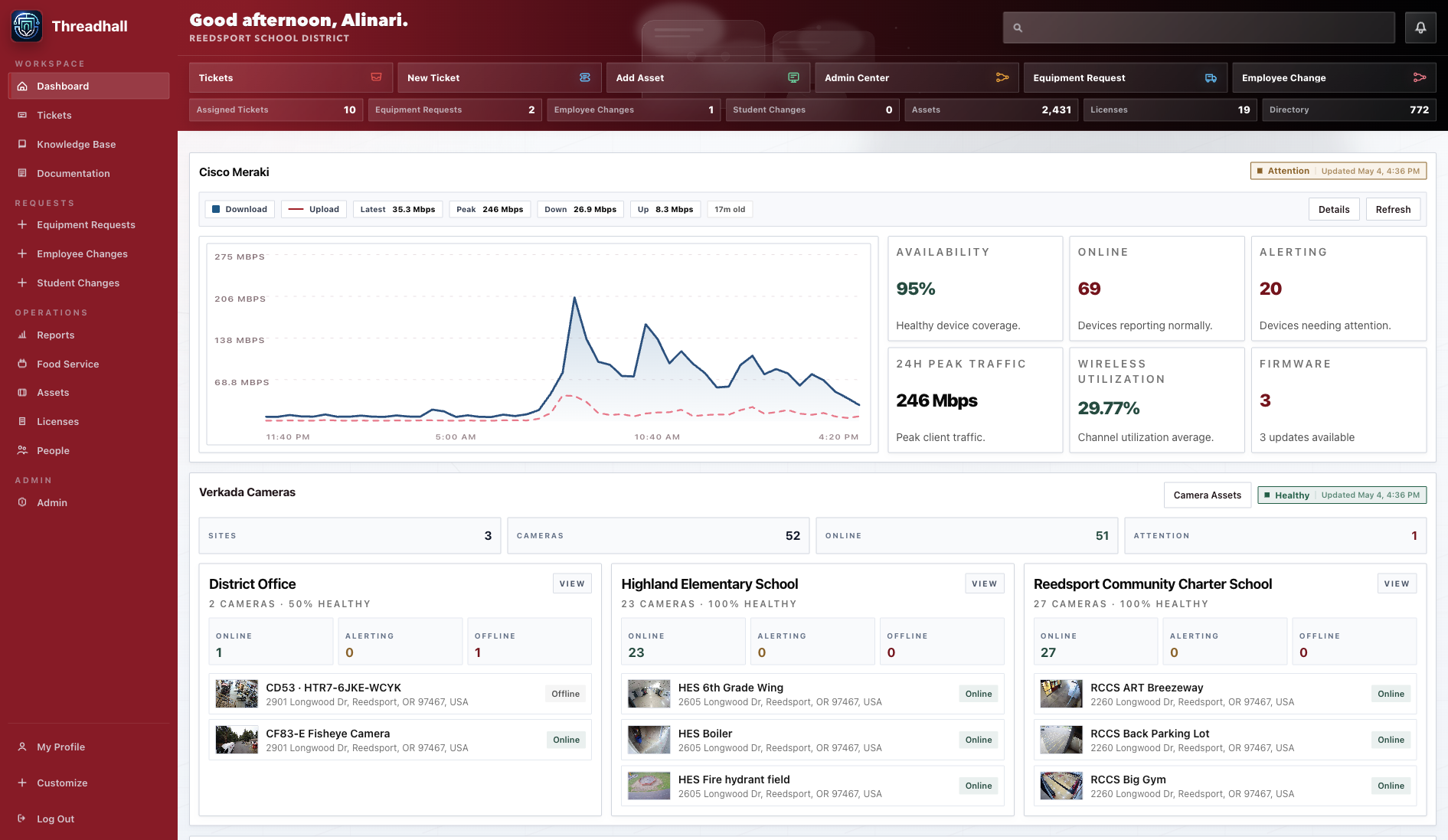
The redesigned Threadhall dashboard brings monitoring, cameras, backups, food service, quick links, communications, and workflows into one district operations view.
1 current capture
The redesigned Threadhall dashboard brings monitoring, cameras, backups, food service, quick links, communications, and workflows into one district operations view.
1 current capture
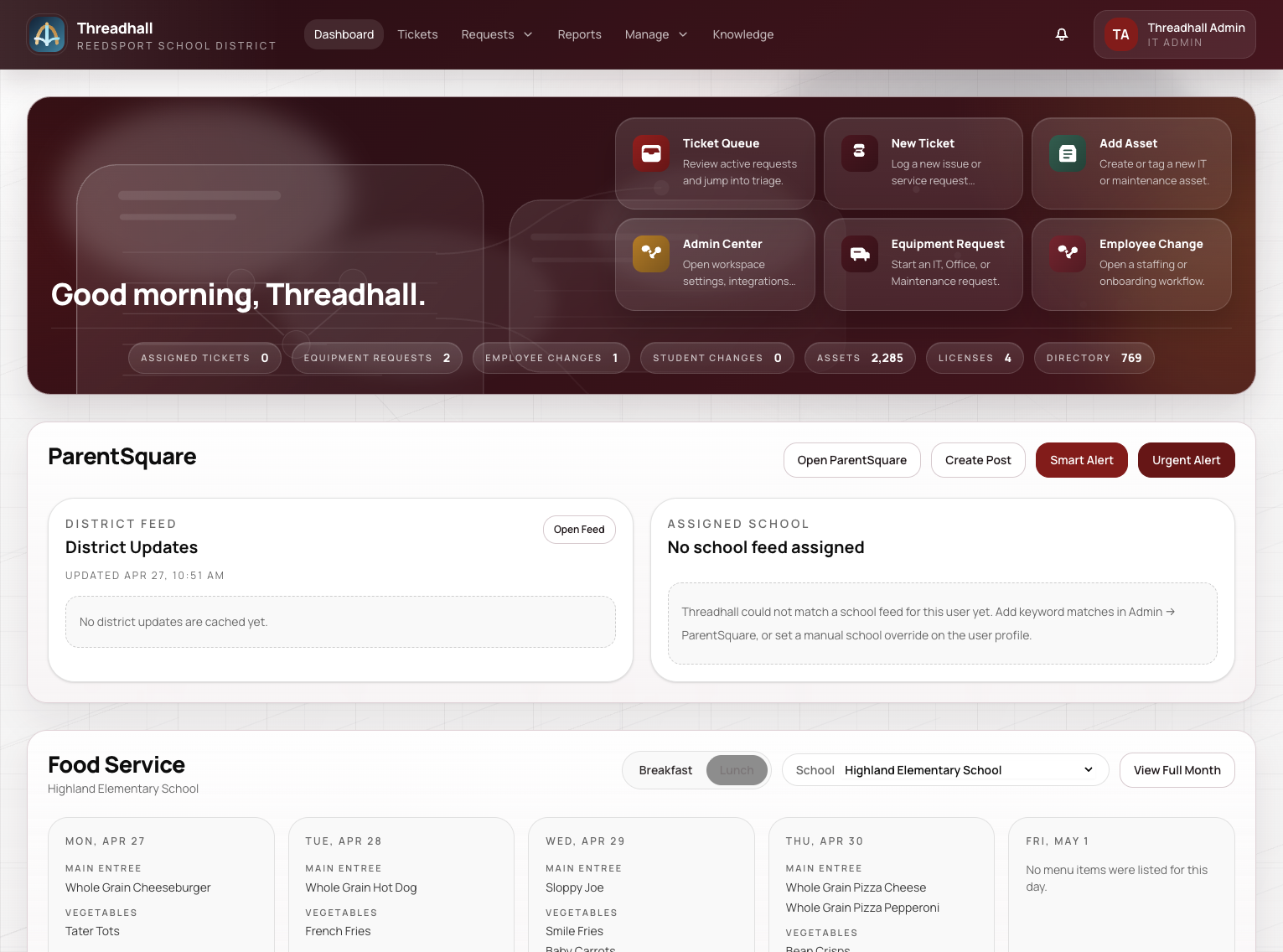
A broad web dashboard view for requests, workflow, monitoring, quick links, food service, communications, and health checks.
1 current capture
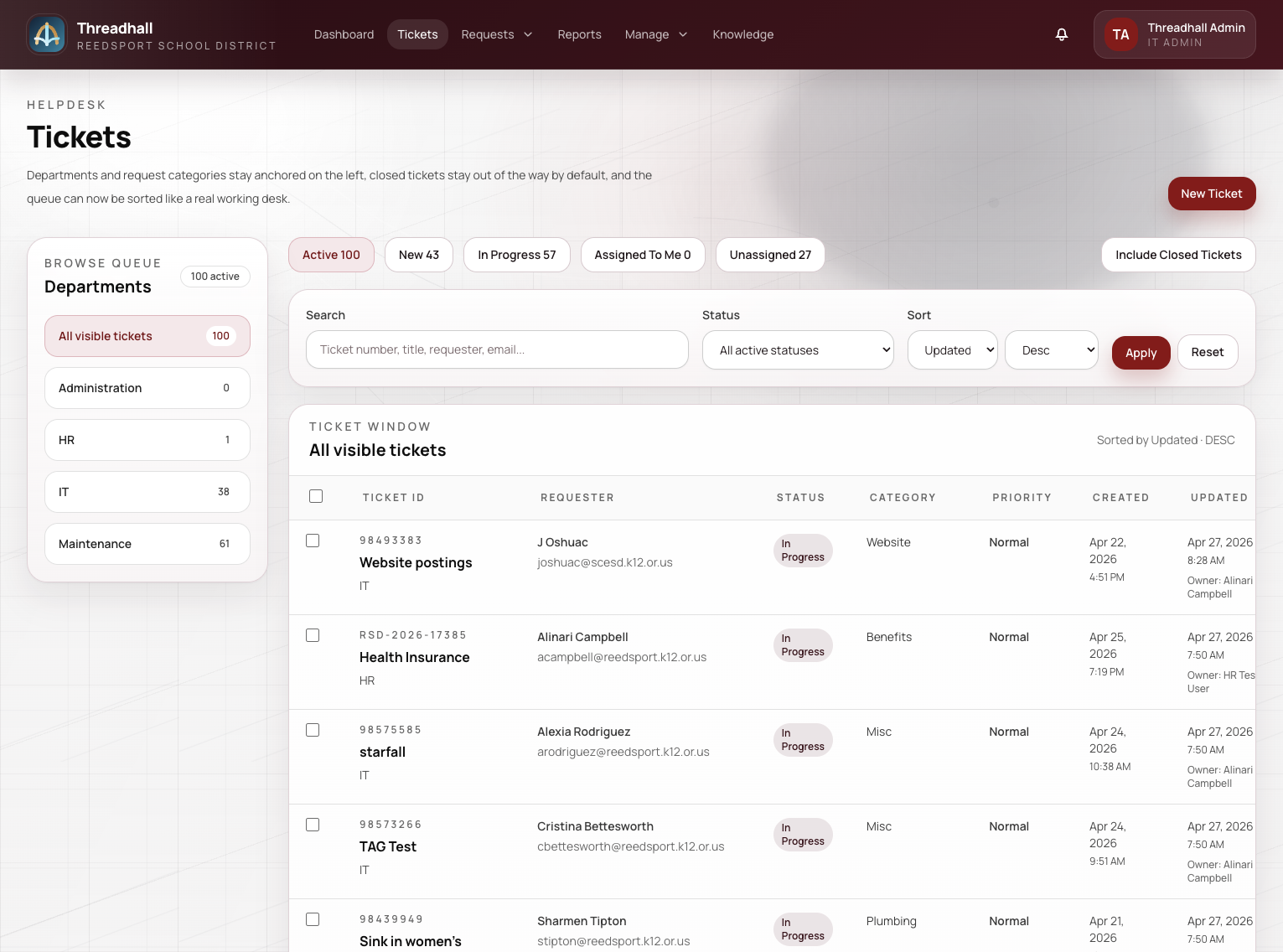
Request detail connects requester, assignment, device context, internal notes, attachments, and related knowledge in one focused view.
2 current captures
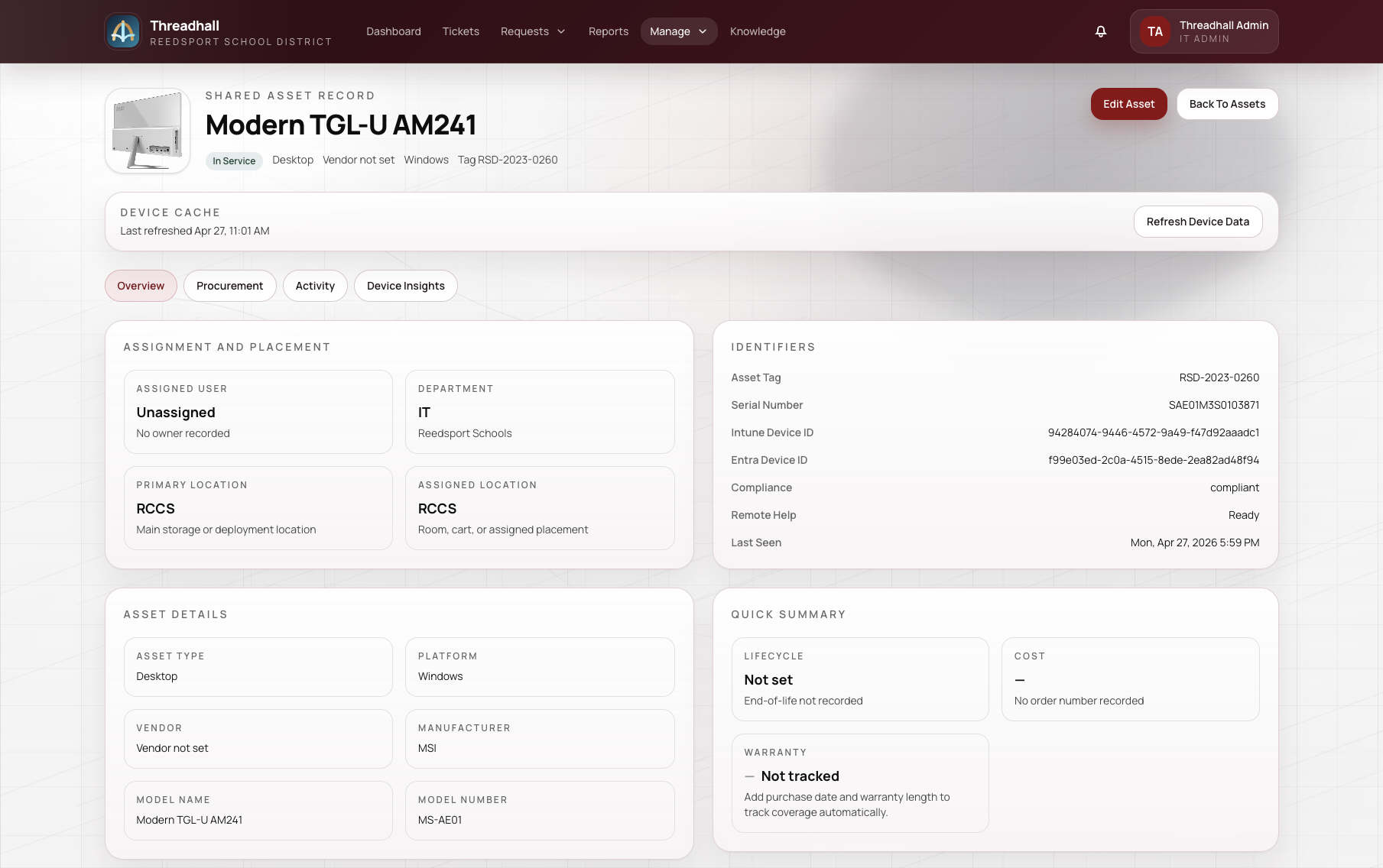
Asset detail combines assignment, room, platform version, lifecycle, warranty, activity history, and support context.
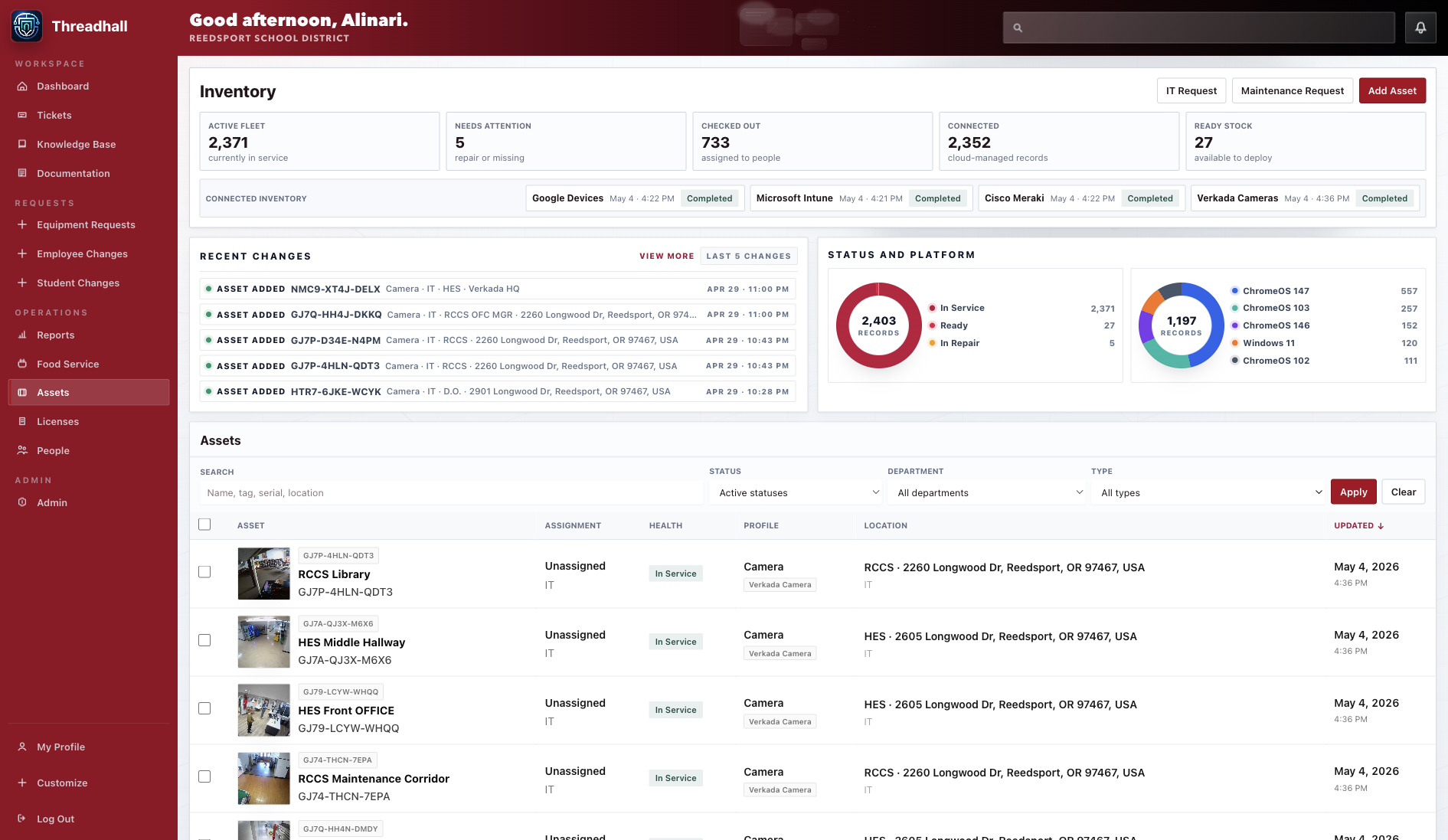
A streamlined inventory view with real device versions, status, people, location, movement history, and connected-system signals.
1 current capture
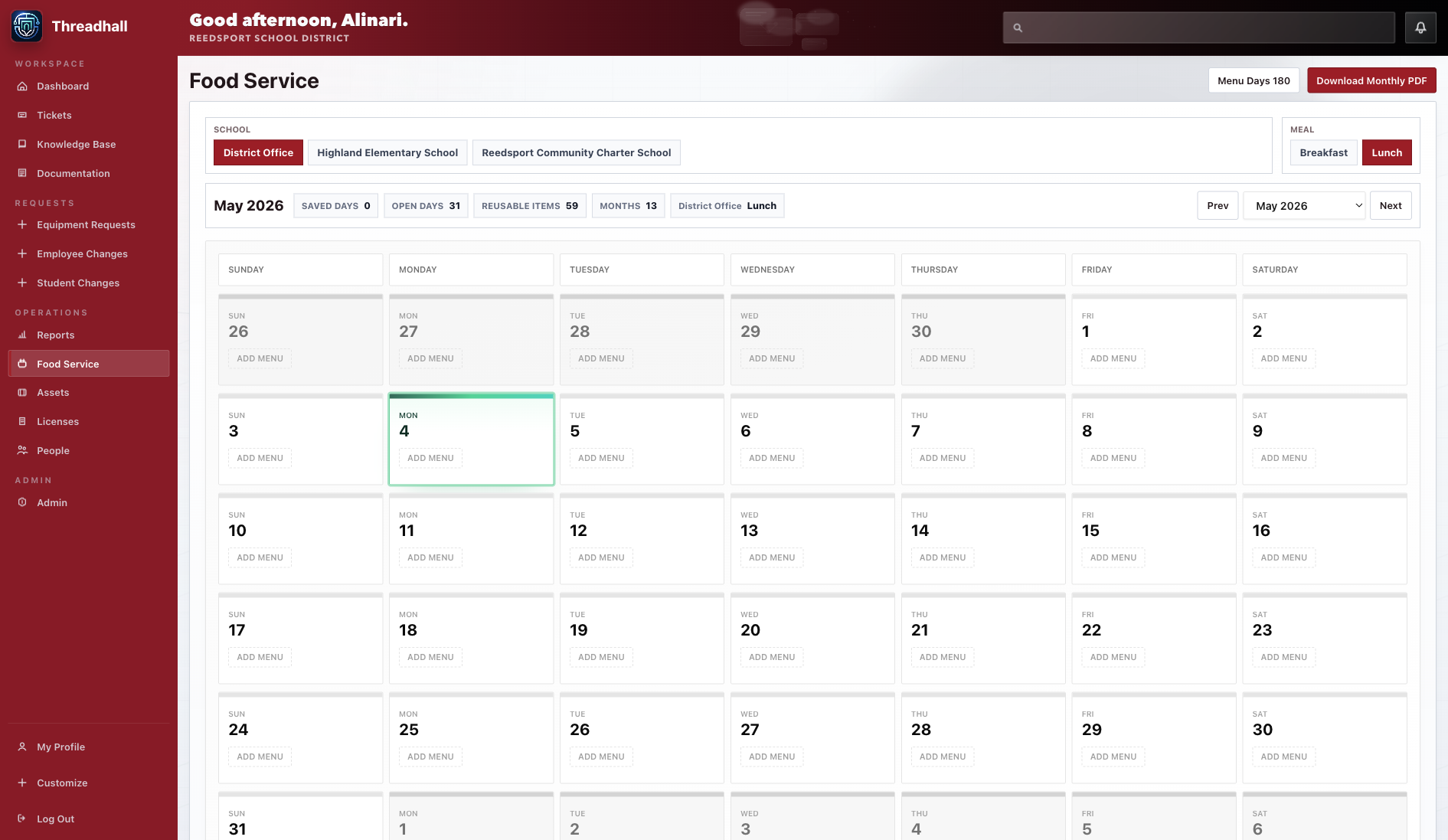
Menu Studio gives operations teams a polished place to build, import, review, publish, and export monthly food service menus.
1 current capture
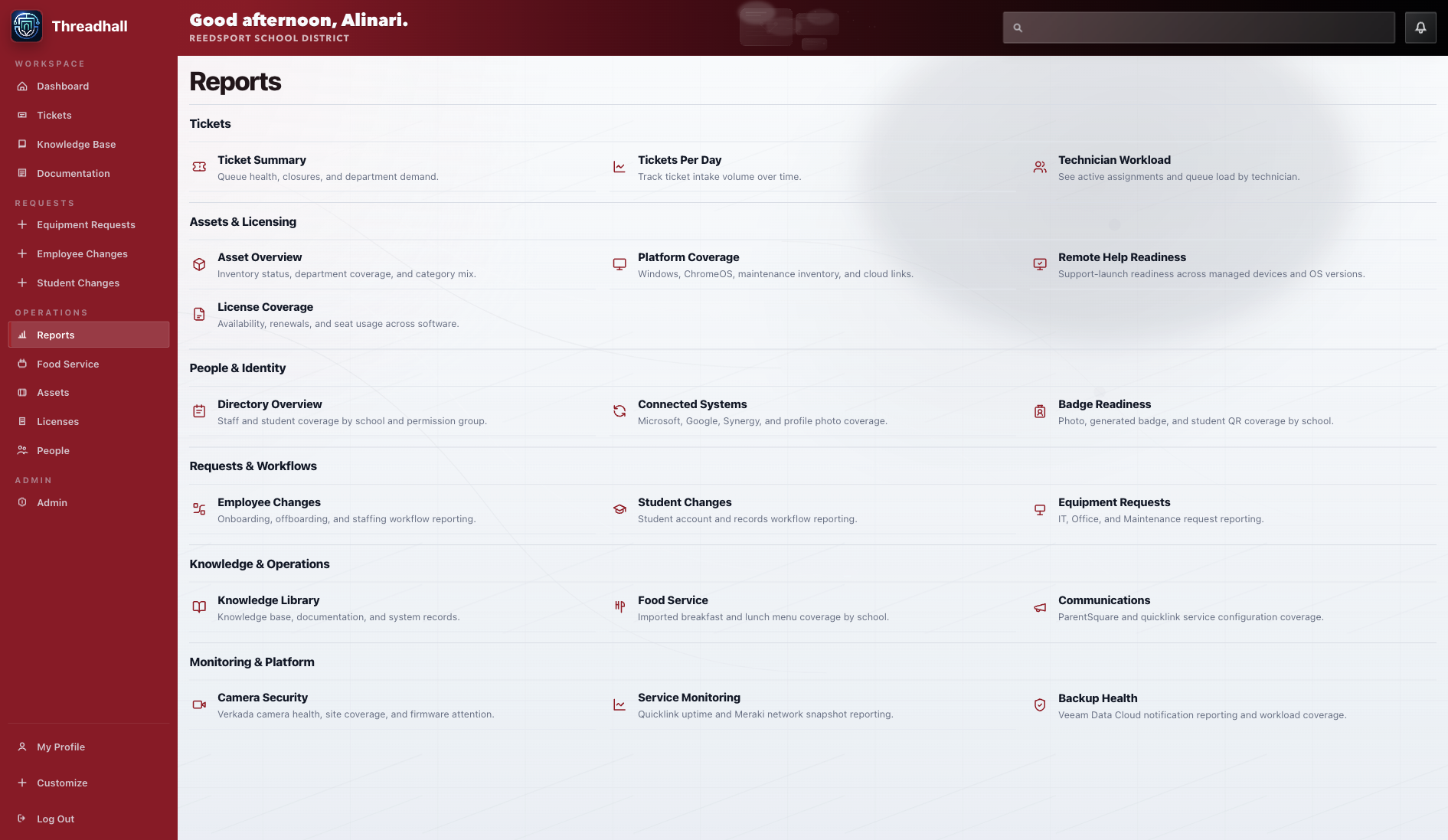
Reports now span tickets, assets, food service, people, workflow, monitoring, and executive exports with CSV and styled PDF output.
1 current capture
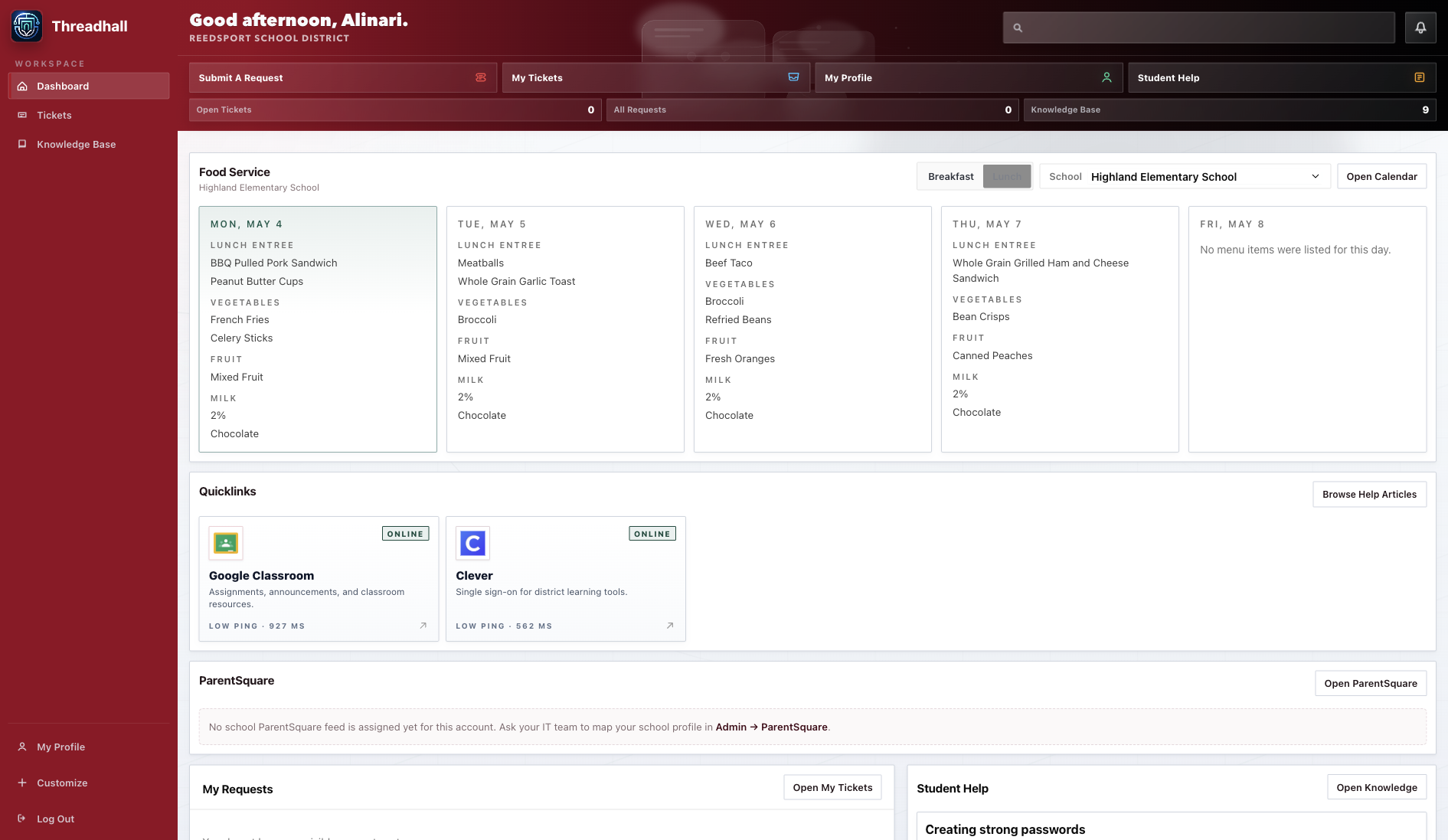
Student-facing Threadhall keeps the portal focused while still surfacing school links, schedule, knowledge, and approved services.
2 current captures
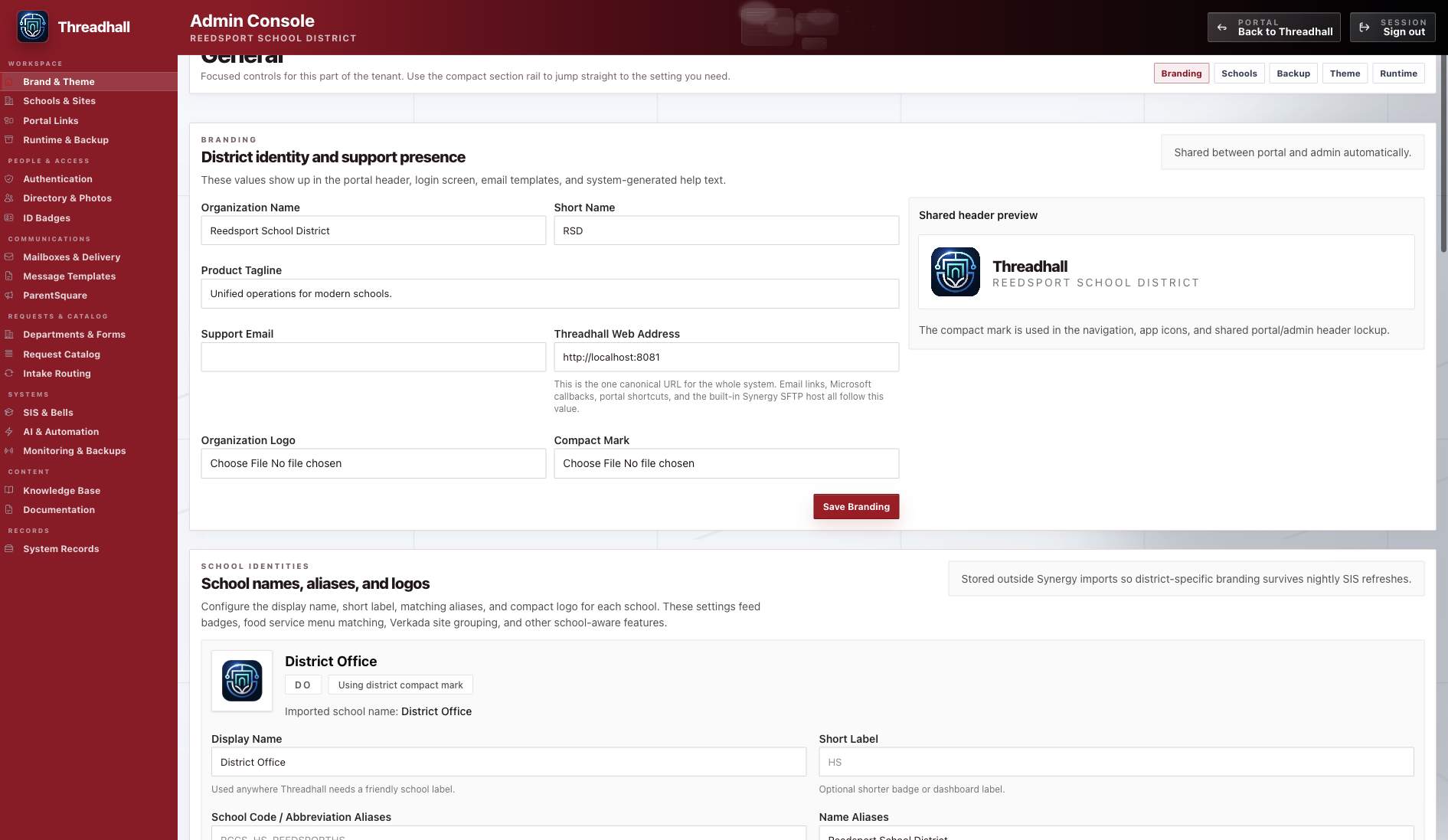
The admin console now uses a compact fixed rail, organized settings groups, and a visual language aligned with the main product.
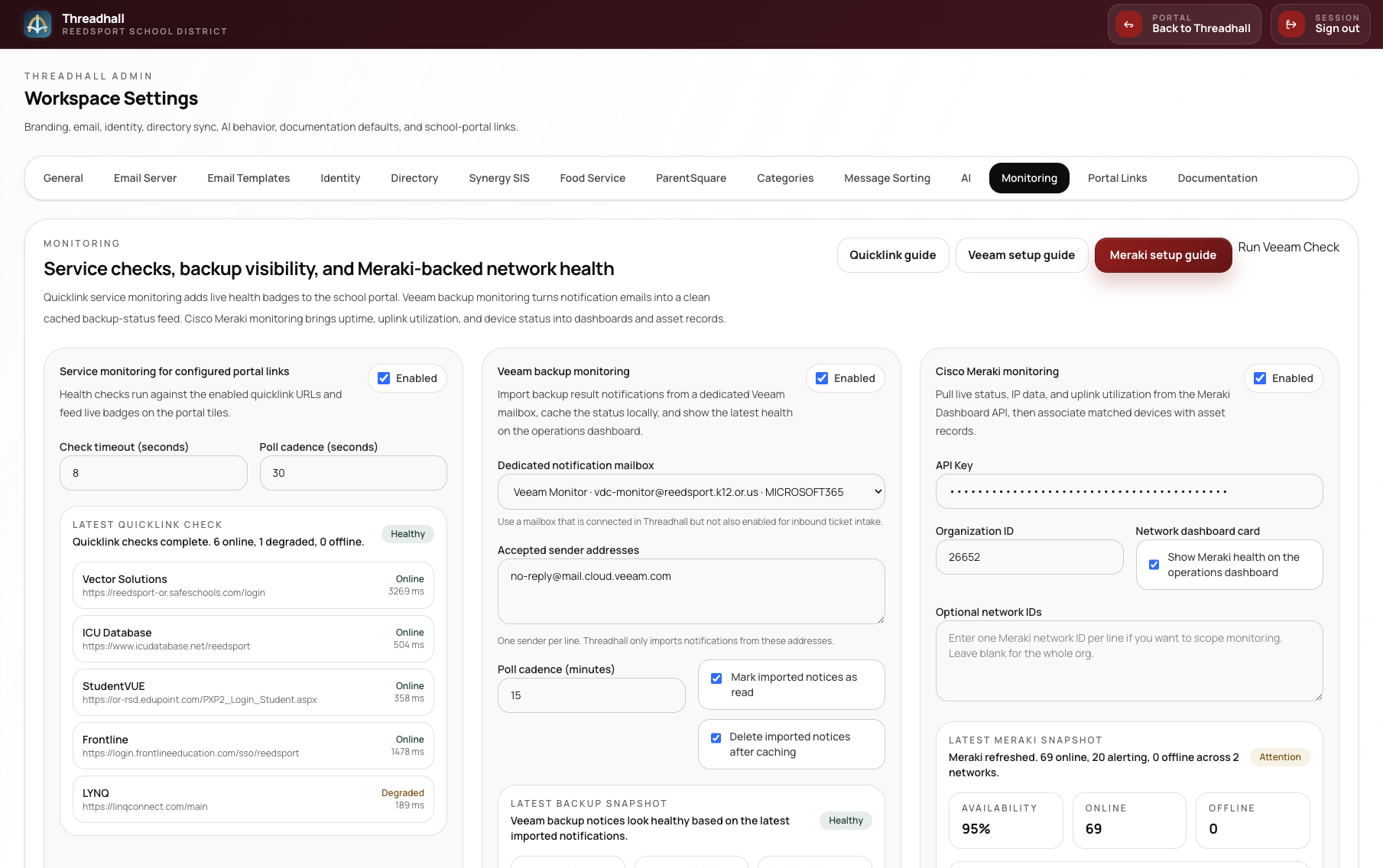
Admin settings, connected systems, branding, authentication, release controls, and rollout notes stay together for district workspace management.
8 current captures
The iPhone dashboard gives staff a day-at-a-glance view of tickets, requests, assets, operational alerts, and the tools they need away from a desk.
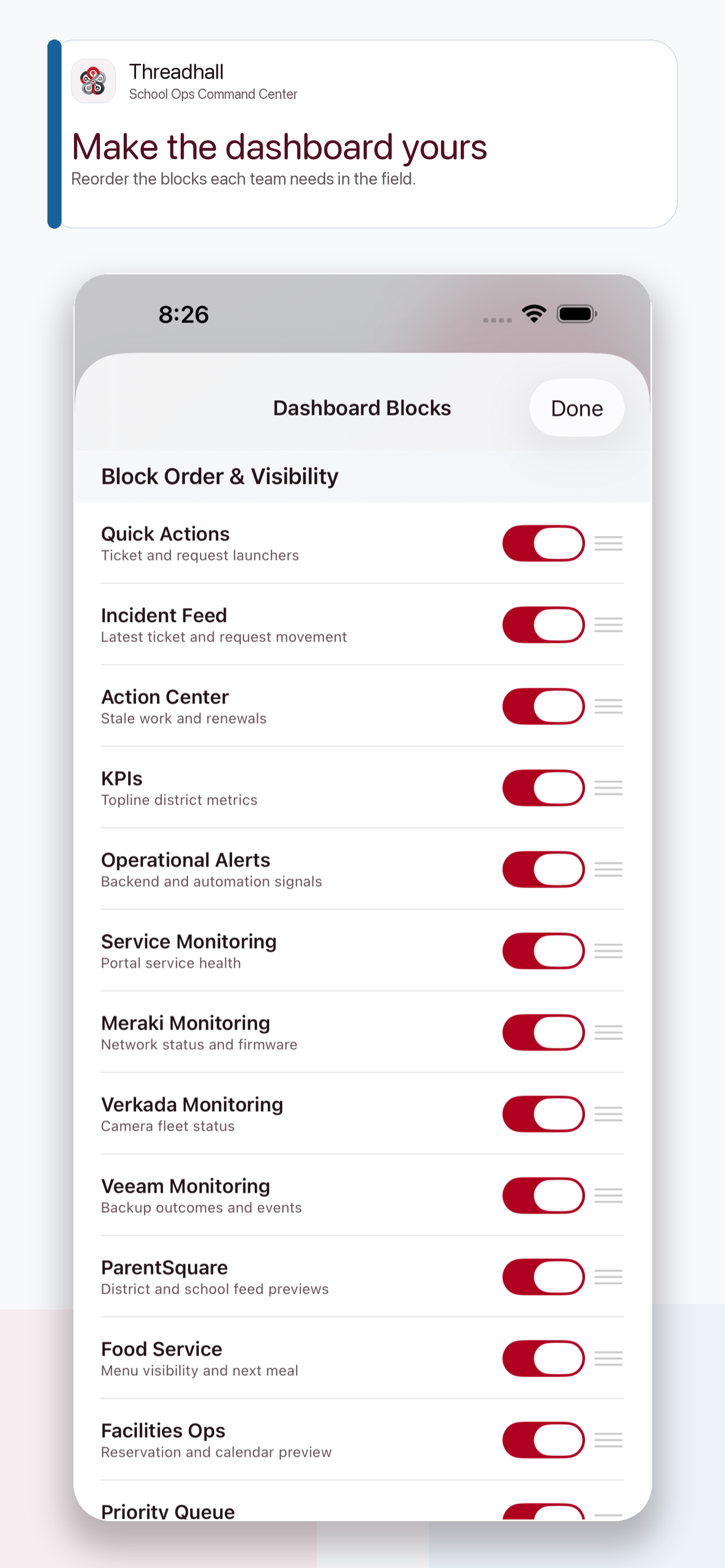
Mobile dashboard configuration keeps the field experience focused on the modules each user actually needs.
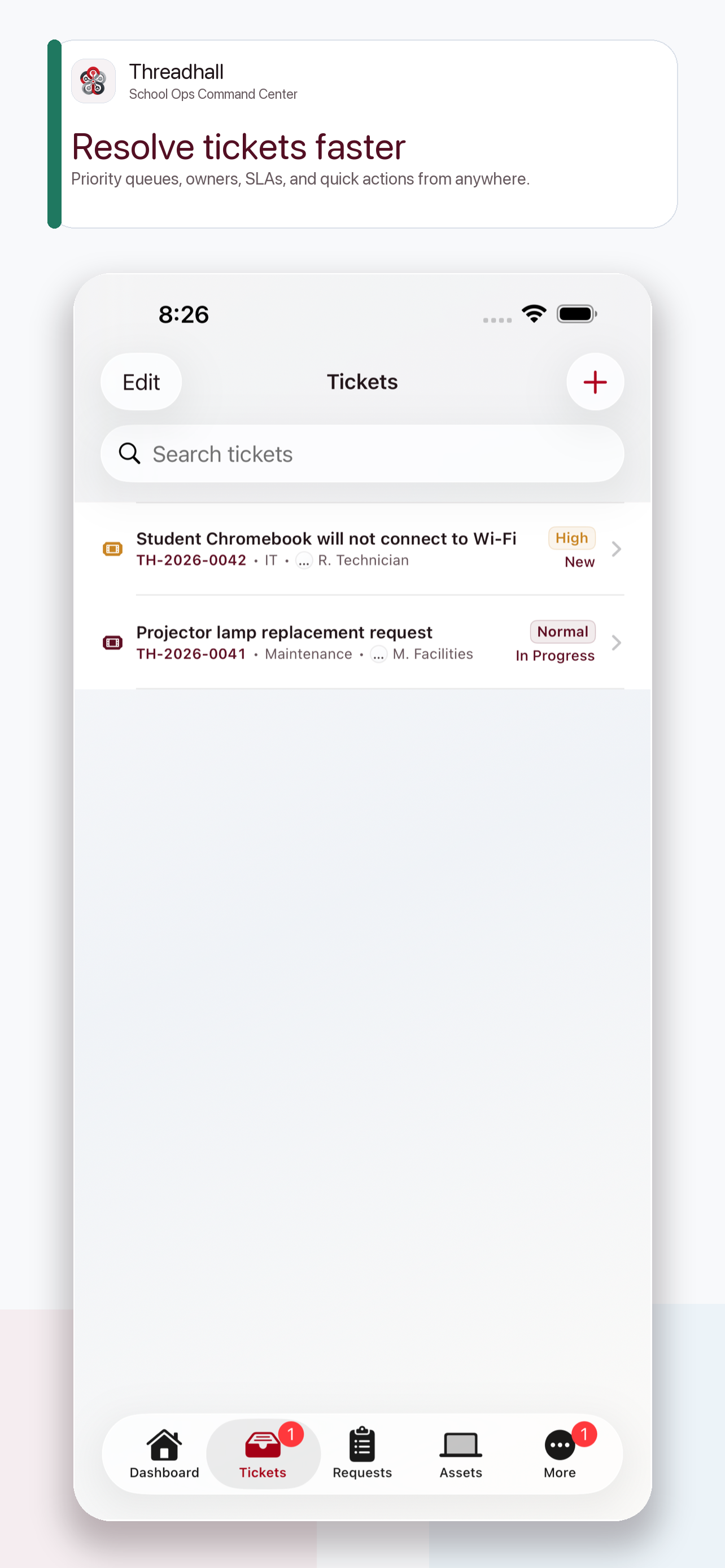
The mobile ticket queue supports quick triage, priority review, and follow-up while moving between buildings.
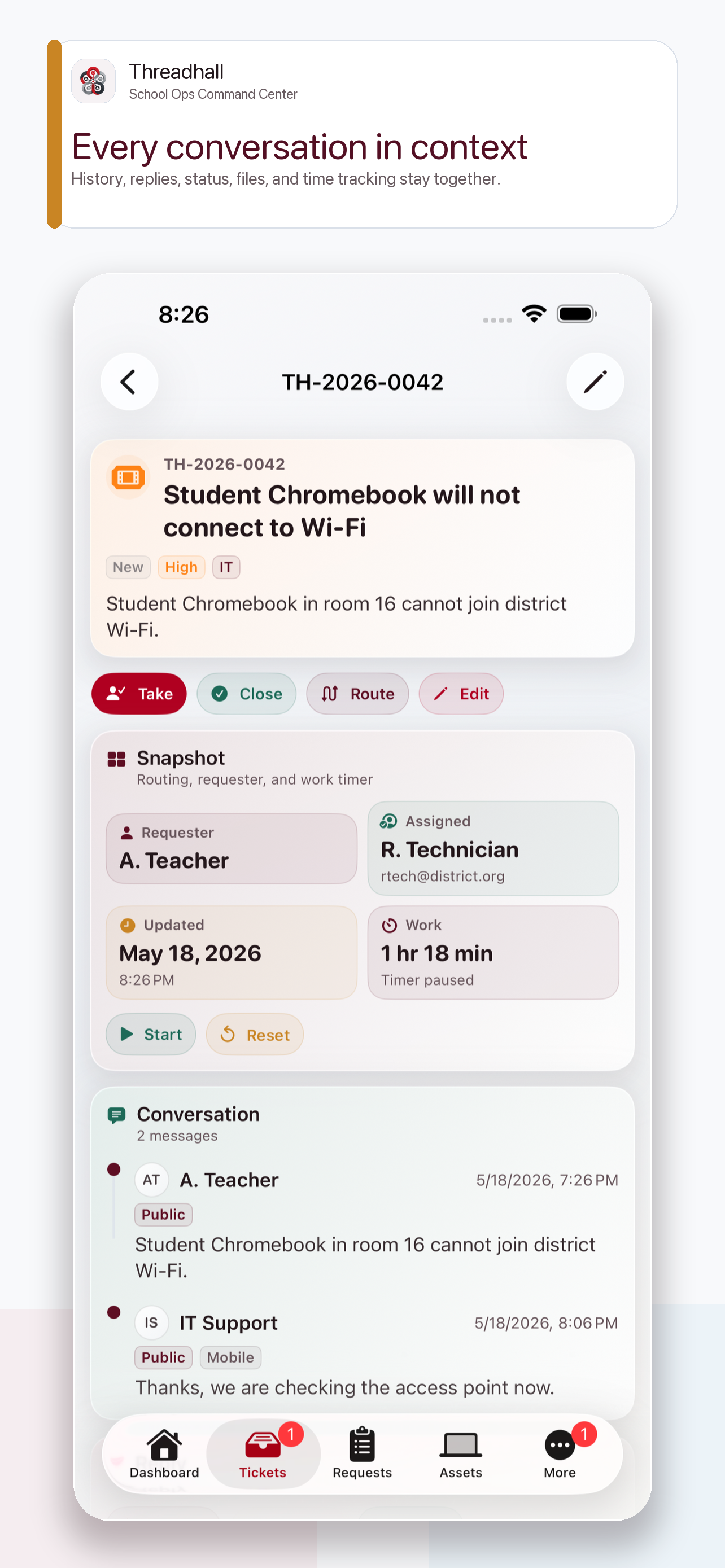
Ticket detail stays usable on a phone with assignment, status, context, comments, and field follow-up in one mobile view.
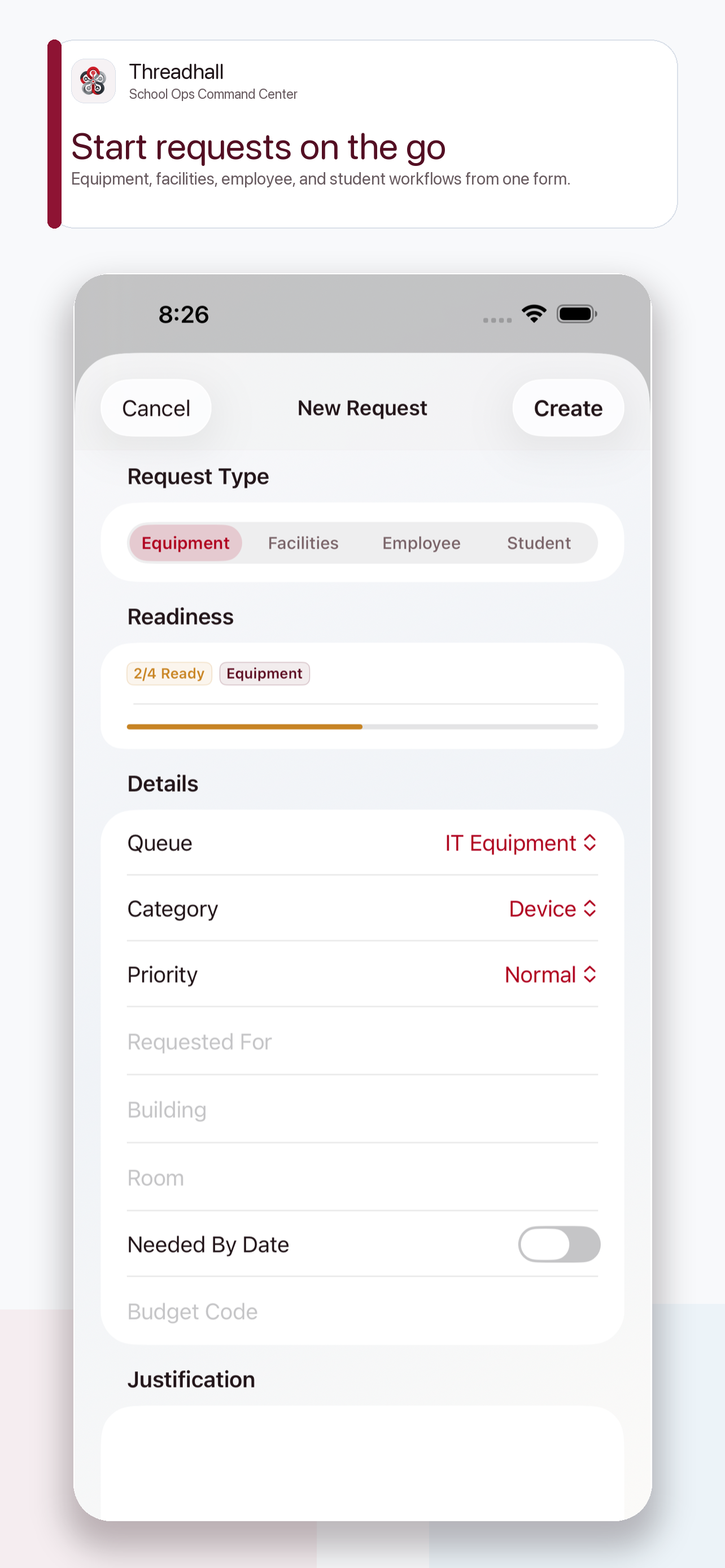
Staff can start a request from mobile when the need is happening instead of waiting until they are back at a desktop.
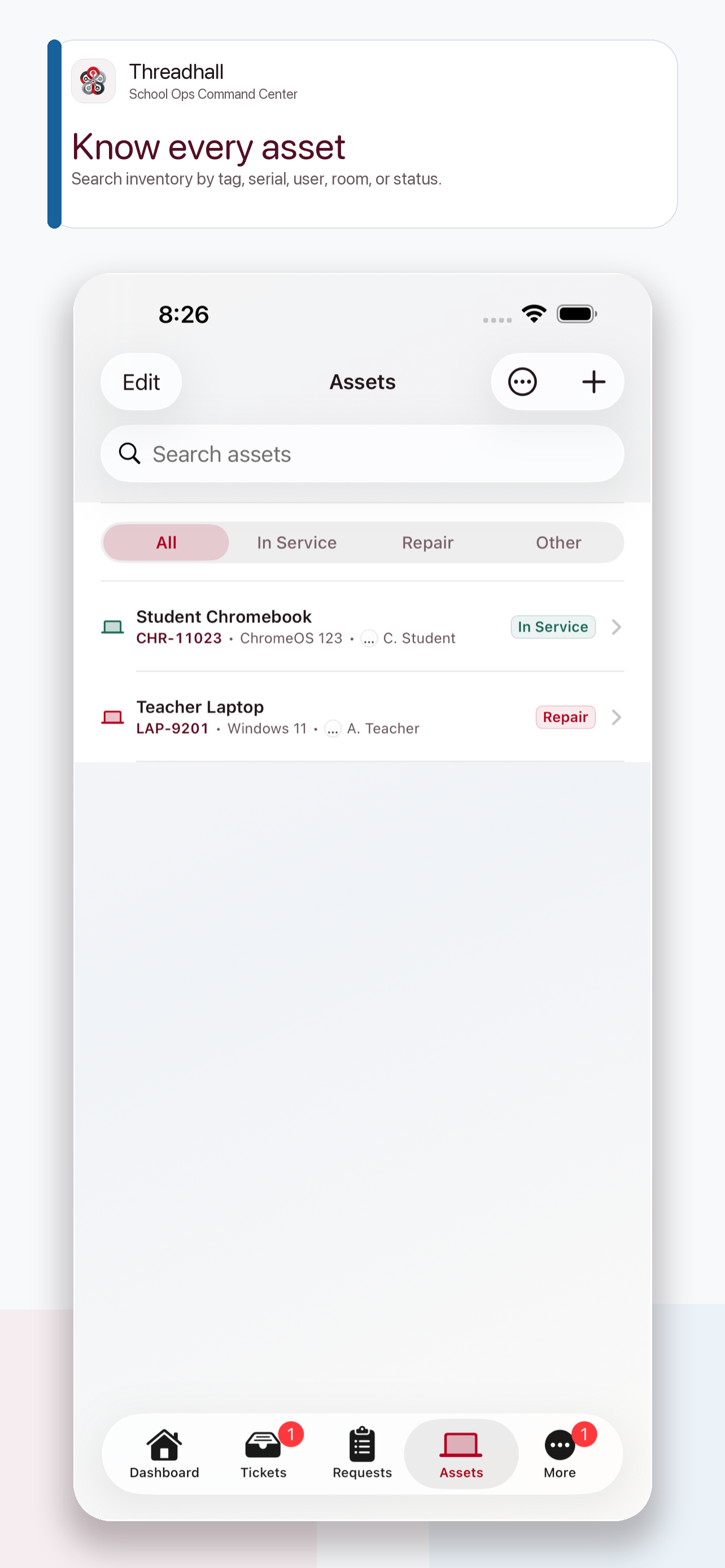
Mobile asset views make device records, ownership, and support context available during field work.
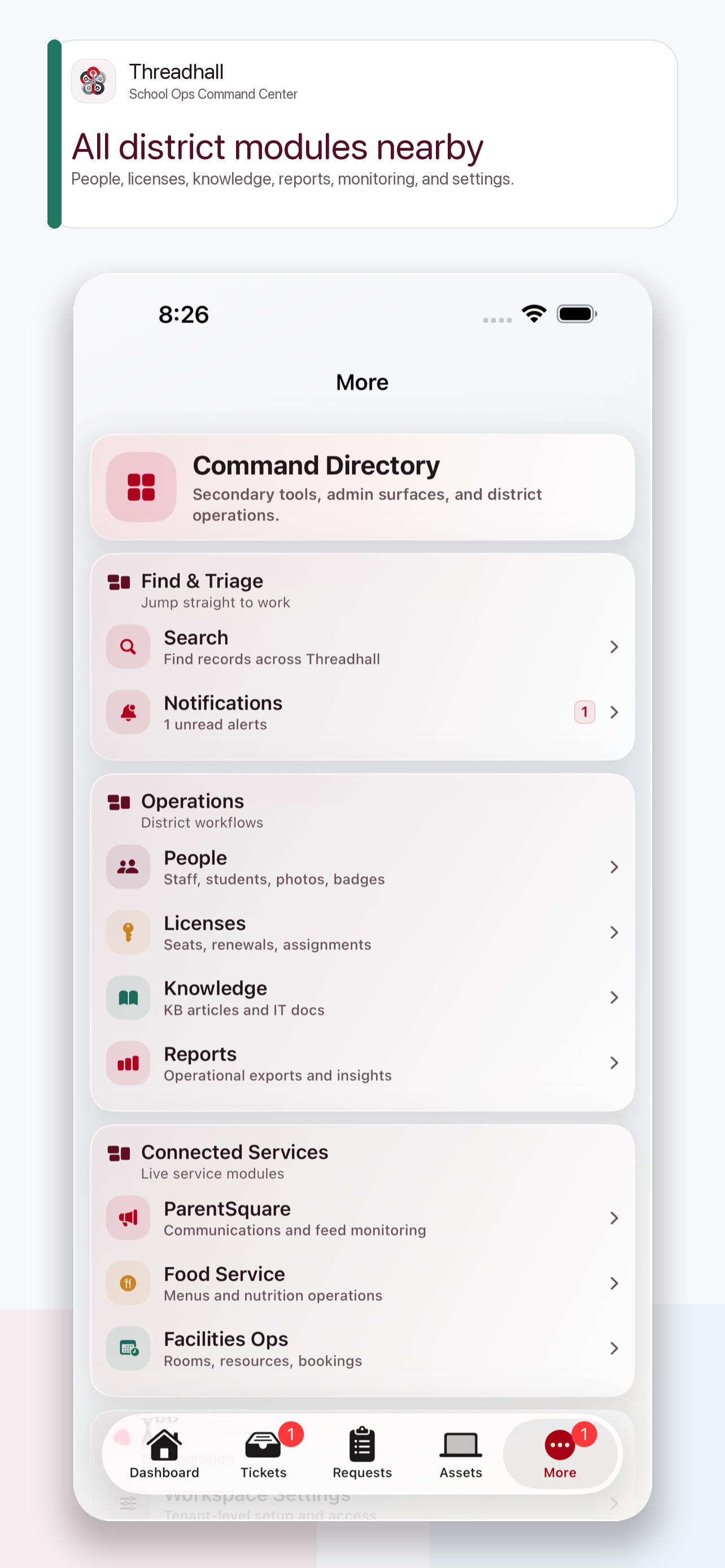
The More hub keeps people, services, knowledge, reports, notifications, and account settings within reach.
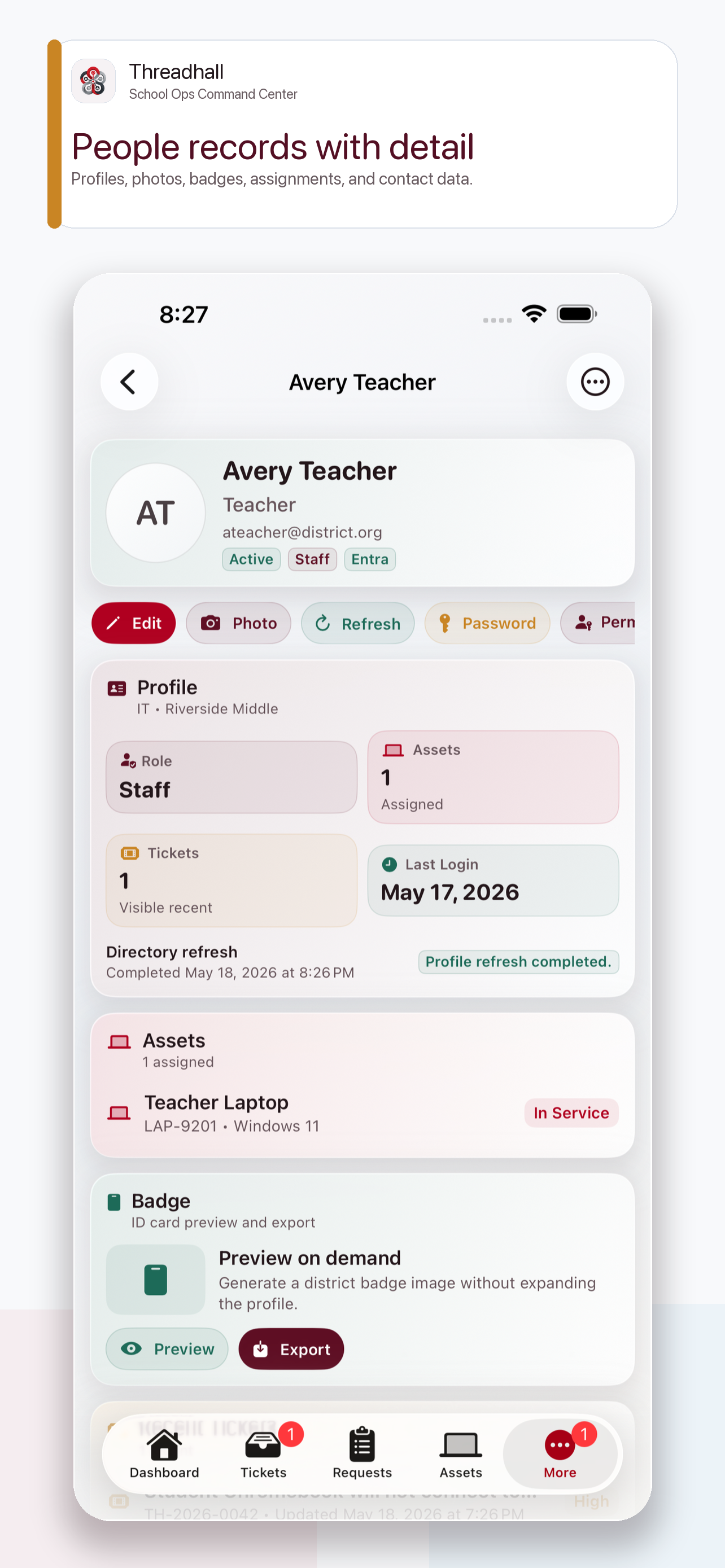
People records carry district context into mobile workflows so staff can connect requests, devices, and support history.
1 current capture
The iPad client uses the regular-width sidebar workspace for a roomier operations dashboard and school-team review surface.
1 current capture
The Mac client gives repeated operators a desktop-class dashboard for all-day queue triage, signals, and workspace review.